


What to do when you can't get a Content type from the Hub?

I am doing a lot of Provisioning engine work, and in most cases I have used PnP.PowerShell to do the heavy lifting. As I am a believer in proper Information Architecture, I am often pulling a number of Content Types from the Content Type Hub/Gallery using Add-PnPContentTypesFromContentTypeHub:
Add-PnPContentTypesFromContentTypeHub -ContentTypes "0x010100D639EF2897BBC246AEF41E1618D00E8B" -Connection $targetConnIn the vast majority of cases this works flawlessly, but from time to time I get this:

The FailedReason is a big hint that a very old "enemy" of mine has showed up again: The Taxonomy Hidden List is slow getting deployed
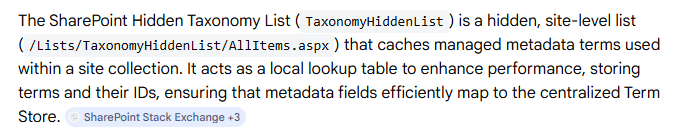
I guess it is common knowledge that SharePoint artifacts are being created async, so things like the Taxonomy Hidden List is not available as soon as the site is created. In most cases the remaining artifacts are created before you even noticed that they were missing.
However, if you are creating the site in a provisioning script you will have to handle the fact we don't know when those artifact are ready for use, often using a retry pattern like this:
$isThere = $false
$maxWaitAttempts = 10
$waitAttempt = 0
while (-not $isThere -and $waitAttempt -lt $maxWaitAttempts)
{
	#psudo code
	$isThere = get-something
     if ($null -eq isThere)
     {
           Write-Host "It is ready ."
     }
     else
     {
            Write-Host "Waiting for it to be available... Attempt      $($waitAttempt + 1) of $maxWaitAttempts."
            Start-Sleep -Seconds 60
        }
        $waitAttempt++
}
if(-not $isThere) {
     throw "It is still not available in the site after waiting."
}
But in some cases this is not enough, the content type isn't available, even after 10 minutes, and I get the Taxonomy message (above), so the content type can't be "copied" from the Gallary to the site because the content type contains one or more managed metadata fields, and it is a precondition that the Taxonomy Hidden List exists!!!
Luckily we can force the Taxonomy Hidden List to be created rather than wait for the scheduled job to do it. All we need to do is to activate a site level feature using a specific ID (no, you can not see this feature in the UI)
Enable-PnPFeature -Identity "73ef14b1-13a9-416b-a9b5-ececa2b0604c" -Scope Site -ForceNow the Taxonomy Hidden List is available and you should be able to get the content types from the hub.
You will also have to do this if you want to use Conten types in Private/Shared channels. Reshmee has a blog post about it , Ensure Taxonomy Feature in SharePoint Sites Connected to Private/Shared Teams Channels | Blog about anything related to my learnings


Comments